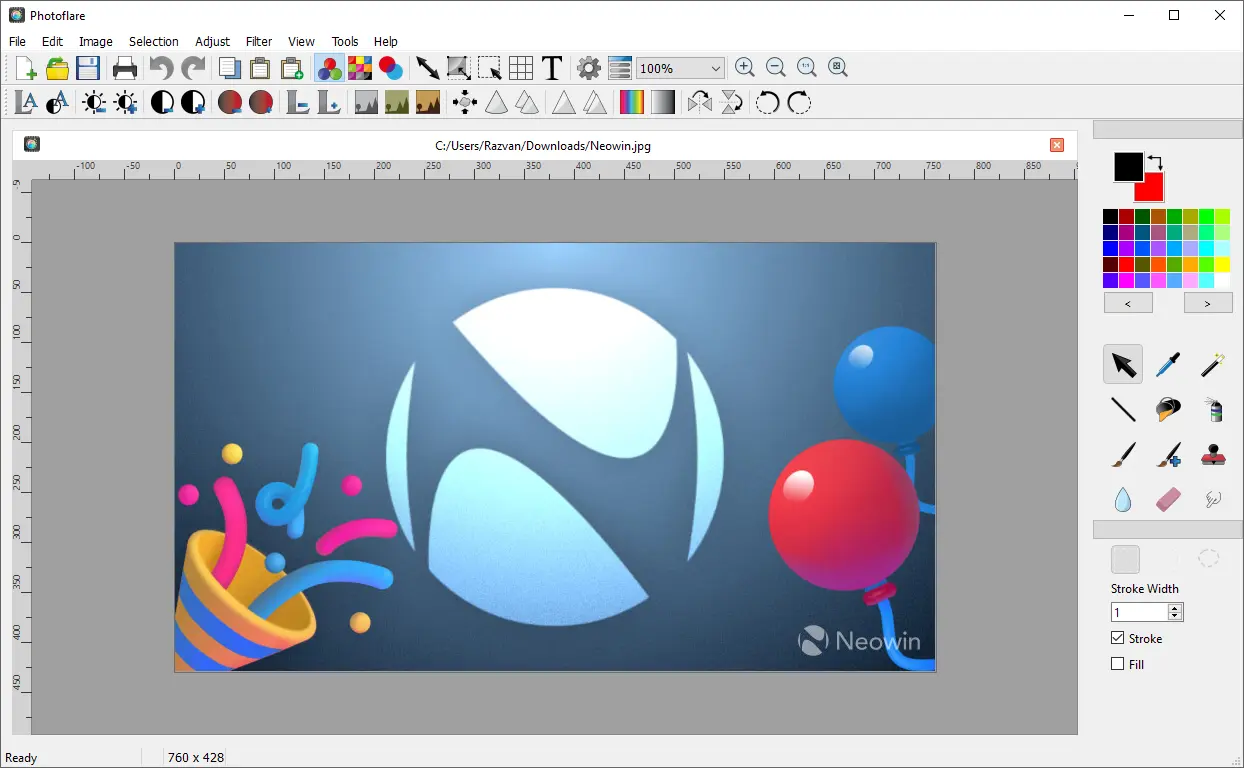
Photoflare is a cross-platform image editor with an aim to balance between powerful features and a very friendly graphical user interface. It suits a wide variety of different tasks and users who value a more nimble workflow.
The application includes essential editing features such as cropping, resizing, rotating, and color correction, along with creative tools like filters, brushes, text overlays, and batch processing. Its clean, intuitive interface helps users complete tasks efficiently, whether editing screenshots, enhancing photos, or applying effects. With a strong focus on simplicity and speed, PhotoFlare is a practical choice for everyday image editing and lightweight graphic design tasks.
Photoflare key features:
- Precise cropping, resizing, and canvas adjustment tools
- Layer-free but designer-friendly workflow for quick compositions
- Customizable paint brushes for sketching and detailing
- A wide range of image filters for creative visual styling
- Colour grading and tone adjustments for artistic control
- Text overlay tools with configurable fonts and styling
- Batch processing for applying design effects to multiple images
- High-quality sharpening, blur, and edge-enhancement tools
- Easy background cleanup with selection and fill tools
- Export support for multiple formats suited for web and print
- Fast interface optimized for rapid creative edits
- Open-source flexibility for designers who prefer lightweight tools
Photoflare 1.7.1 fixes:
- Fixed dot directories showing in open dialog
- Fixed incorrect selection icons shown at launch
- Fixed selection icons not updating per icon theme
- Fixed tool palette default location not saved (#502)
- Fixed language generation not enabled and stroke set by default (#501)
- Dynamic language switching when confirming Preferences
- Packaging and build script improvements
Download: Photoflare 1.7.1 | Portable | ~30.0 MB (Open Source)
Links: Photoflare Home Page | Github | Screenshot
 Get alerted to all of our Software updates on Twitter at @NeowinSoftware



















0 Comments
Load the comments and join the conversation!
Read the comments, ask the editors questions, show respect and join the conversation.